> For the complete documentation index, see [llms.txt](https://docs.booldesk.com/llms.txt). Markdown versions of documentation pages are available by appending `.md` to page URLs; this page is available as [Markdown](https://docs.booldesk.com/how-to-use-modules/asset-management-module/how-to-track-asset-expenses.md).
# How to Track Asset Expenses
**Overview**
Expense tracking allows you to record specific financial costs incurred by an asset, such as software licenses, hardware upgrades (e.g., adding RAM), or out-of-warranty repairs. Unlike the "Service Log" (which tracks the *activity*), the Expense module focuses on the *cost*, allowing for accurate Total Cost of Ownership (TCO) reporting.
#### **Step-by-Step Guide**
**1. Navigate to the Asset Expenses Tab**
Access the financial records for a specific item.
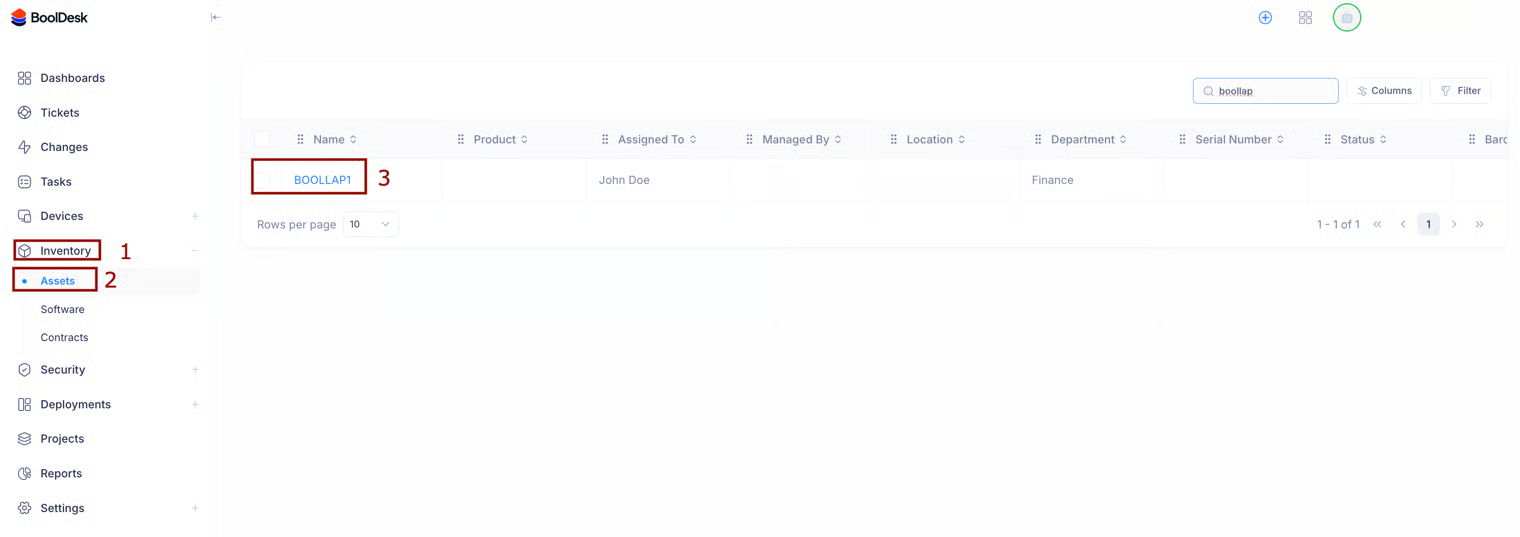
* From the Inventory > Assets list, click on the name of the asset (e.g., `BOOLLAP1`).
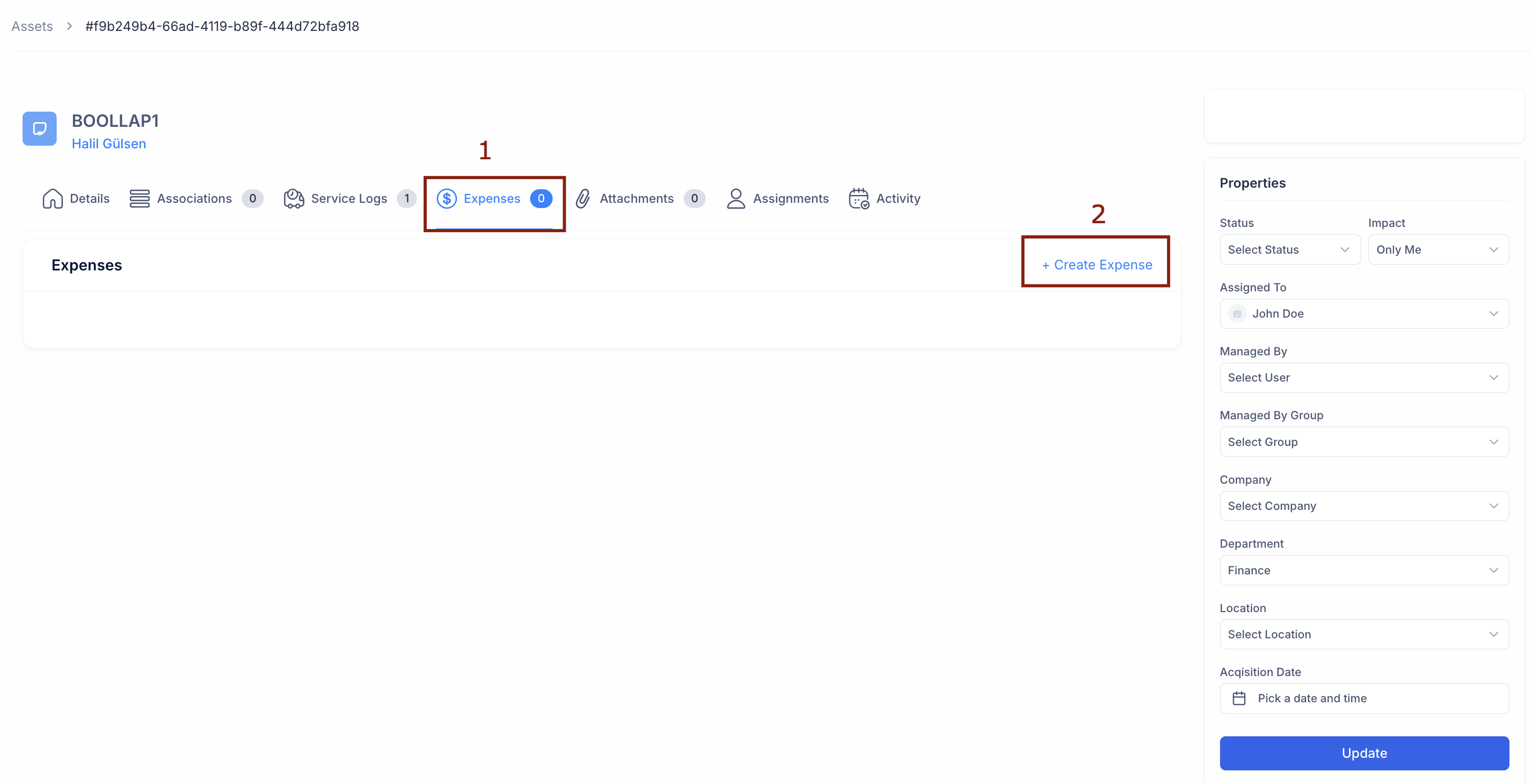
* On the asset details page, click on the Expenses tab (1) in the top navigation bar.
* Click the Create Expense button (2) on the right side.
**2. Record the Expense Details**
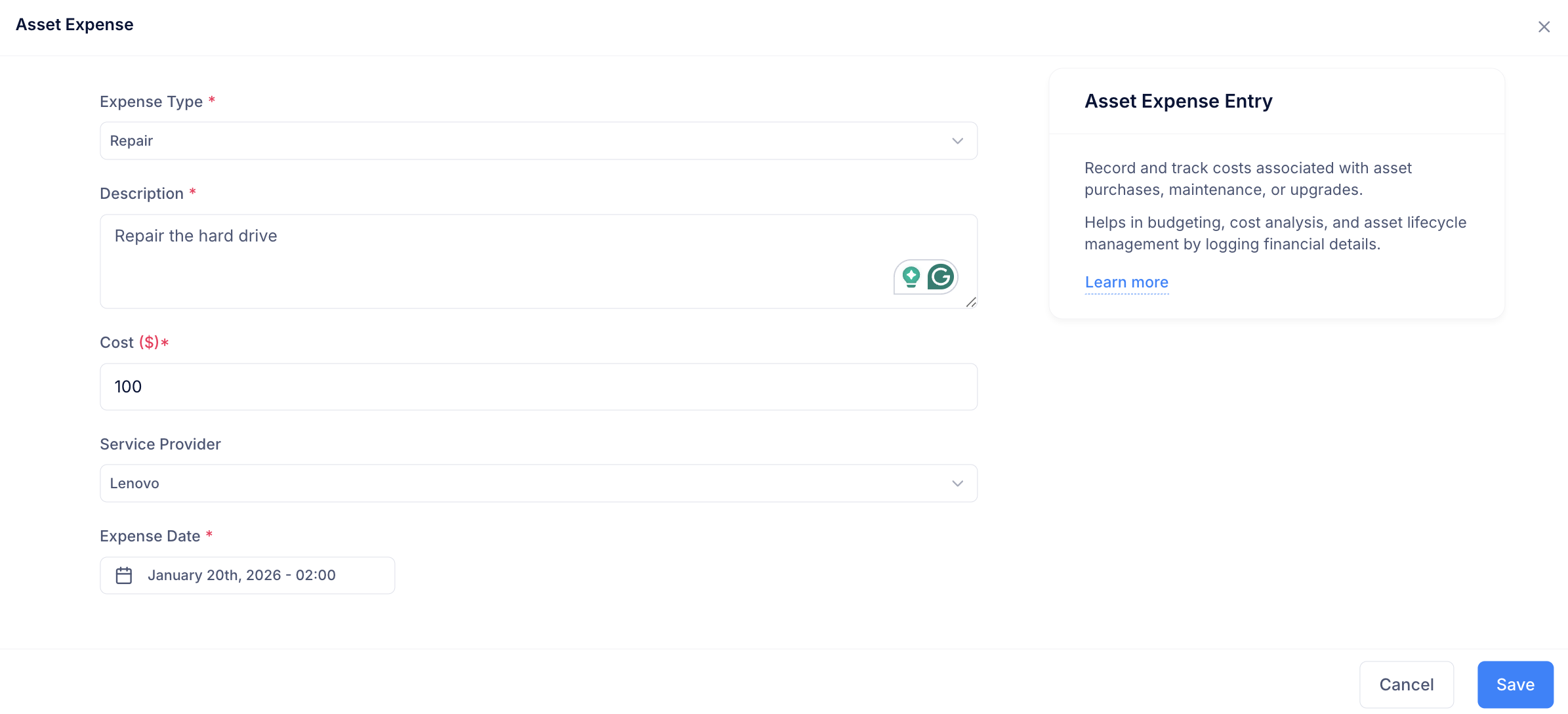
In the "Asset Expense" window, log the cost information.
* Expense Type: Select the category (e.g., `Repair`, `Upgrade`, `License`).
* Description: Enter a specific reason for the cost (e.g., "Repair the hard drive").
* Cost ($): Enter the exact amount (e.g., `100`).
* Service Provider: Select the vendor responsible (e.g., `Lenovo`).
* Date: Select the Expense Date to ensure it falls into the correct budget period.
* Click Save to add this to the asset's financial histo