> For the complete documentation index, see [llms.txt](https://docs.booldesk.com/llms.txt). Markdown versions of documentation pages are available by appending `.md` to page URLs; this page is available as [Markdown](https://docs.booldesk.com/how-to-configure-settings/asset/how-to-configure-a-product.md).
# How to configure a product
**Overview**
In BoolDesk, a Product is a template or model for the physical and virtual assets you track. For example, the "Lenovo ThinkPad X1 Carbon" is a product. The individual laptops you own, each with a unique serial number, are the Assets based on that product.
Creating products first standardizes your inventory and makes adding individual assets much faster and more consistent.
#### **Step-by-Step Guide**
**1. Navigate to Product Settings**
First, go to the administrative section where products are managed.
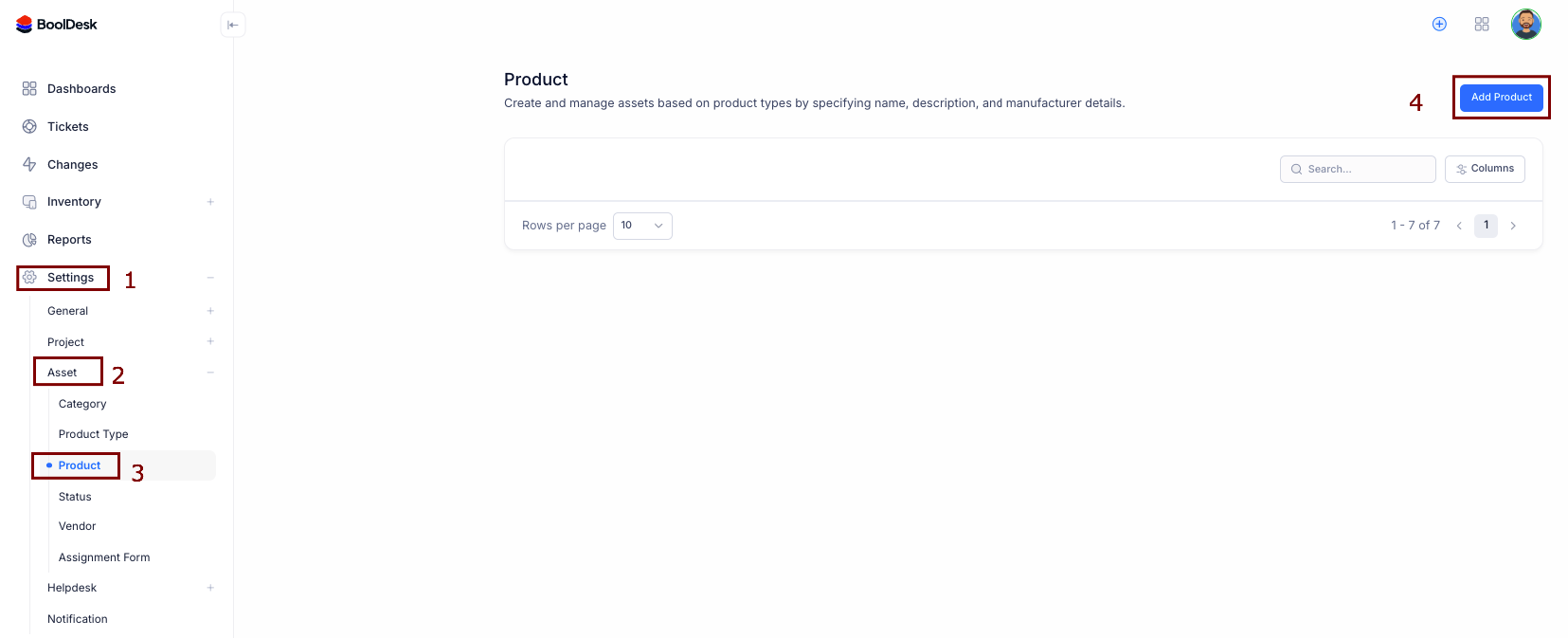
* From the main menu, go to **Settings** (1).
* Click on the **Asset** section to expand its options.
* Select **Product** (2 & 3).
**2. Add a New Product**
On the Product management page, click the **Add Product** button (4) in the top right corner to open the creation form.
**3. Define the Product Details**
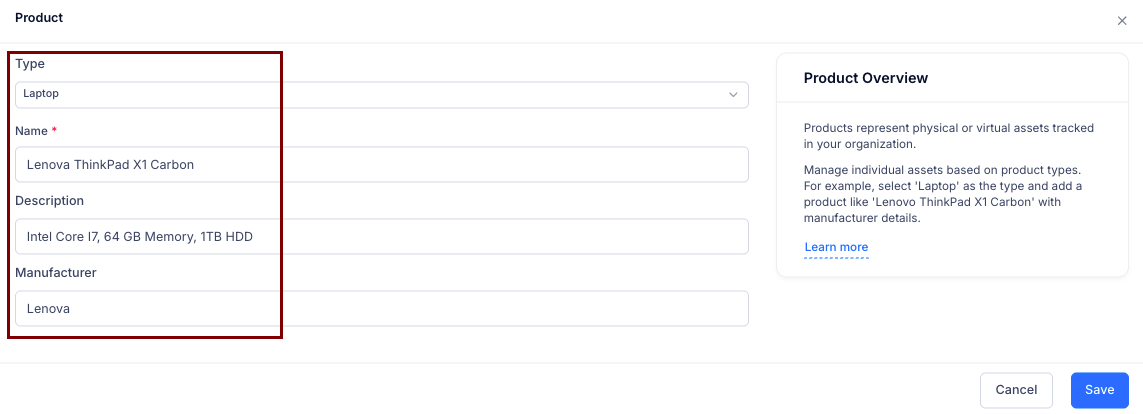
In the "**Product**" window, fill in the specifications for the asset model.
* **Type:** Select the general type of product from the dropdown (e.g., "Laptop," "Monitor," "Software").
* **Name:** Enter the specific, official model name, such as "Lenovo ThinkPad X1 Carbon."
* **Description:** Add key details and specifications, like "Intel Core i7, 64 GB Memory, 1TB HDD."
* **Manufacturer:** Enter the brand name, such as "Lenovo."
* Click **Save**.
Your new product is now saved in the catalog. When you add a new individual asset to your inventory (like a specific laptop you just purchased), you can select this product to automatically populate its details, saving time and ensuring consistency.